

Key takeaways
Law firm accounting and financial management software connects billing, expenses, trust activity, and reporting to legal work, providing context that general accounting tools lack.
The best solutions for 2026 support real-time visibility, automation, and legal-specific workflows rather than relying on disconnected systems.
Different tools serve different needs, with legal practice management solutions offering deeper alignment with cases and compliance requirements.
Features such as spend management, case-level profitability tracking, and automated billing help firms reduce errors and improve cash flow predictability.
A unified solution like MyCase brings financial oversight and practice management together, helping firms manage growth with greater control.
Many law firms rely on a patchwork of different systems to manage billing, expenses, trust accounts, and reporting. When your financial data is spread across separate solutions, it can be difficult to get a clear, reliable view of firm finances. Billing slows down, errors are overlooked, and it becomes harder to trust the numbers guiding strategic decision-making.
This fragmented approach is no longer sustainable, as advancements in automation and artificial intelligence are raising expectations for speed, accuracy, and precise reporting. Practice management platforms that offer centralized financial management tools are making it easier for firms to see how money moves across cases, clients, and the business as a whole.
In this article, we’ll break down the best law firm financial management solutions for 2026, including both legal-specific tools and general financial solutions used across industries. We’ll also provide recommendations on selecting software that supports attorneys’ real-world needs and makes firm finances more manageable.
What is law firm financial management software?
Law firm financial management software is specialized technology that helps firms track, manage, and understand their finances across the full lifecycle of legal work.
What sets it apart from general financial management platforms is the focus on specific tools tailored to the needs of law firms. In addition to core accounting features, law firm financial software supports case-level expense tracking, firm-wide spend oversight, and real-time performance insights. That focused view helps attorneys manage risk, maintain compliance, and make informed financial decisions without juggling disconnected systems.
Common components of law firm financial management software include:
General ledger accounting: Record firm-wide financial activity, including income, expenses, assets, and liabilities.
Legal accounting: Manage financial requirements specific to legal work, such as trust accounting, three-way reconciliation, and compliance with client fund rules.
Expense management: Track firm and case-related spending, capture receipts, and link expenses directly to matters for billing or reimbursement.
Financial reporting: View real-time insight into revenue, profitability, expenses, trust balances, and accounts receivable.
Banking: Manage operating and trust accounts, monitor transactions, and control cash flow.
Billing and payments: Create invoices, track time and expenses, accept online payments, and manage collections.
Factors like firm size, practice mix, billing structure, and local compliance requirements often influence decisions about which types of tools to prioritize. For example, a solo attorney may prefer a simpler setup, while a growing firm may need more advanced controls and reporting.
9 best financial management solutions for law firms in 2026
Attorneys have a wide selection of tools for managing accounting, billing, expenses, and financial reporting. Below, we compare nine of the best law firm financial management solutions to consider in 2026, including legal practice management systems and general financial software used across many different industries.
We evaluated these platforms based on how they support financial visibility, automation, legal workflows, and the ability to scale as a practice grows. We’ve also included a breakdown of the key strengths and limitations of each solution to help you determine which software is the best fit for your firm’s needs.
1. 8am™ MyCase
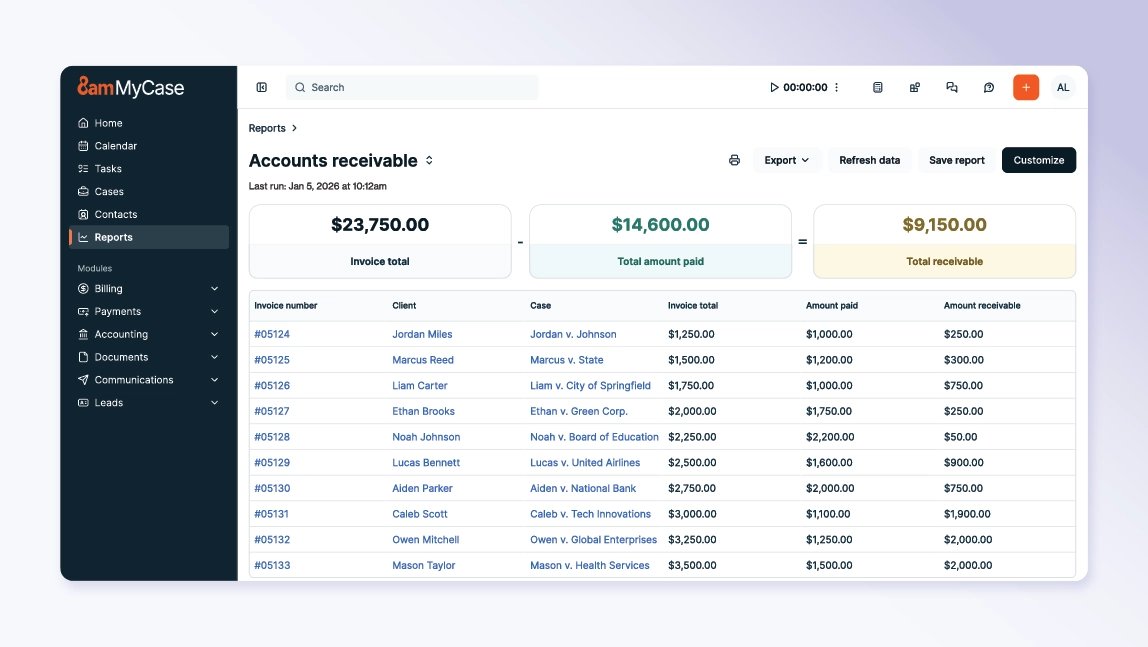
MyCase is a complete practice management solution with integrated financial management tools designed specifically for how law firms operate. It brings accounting, billing, expenses, trust activity, and reporting together so financial data stays connected to cases and clients, rather than scattered across separate systems.
By unifying financial workflows inside the same solution attorneys use to manage daily work, MyCase helps practices maintain visibility without added complexity. The result is a clearer view of firm performance, fewer manual steps, and stronger oversight as firms grow.
Features and benefits:
Centralized financial dashboards: View revenue, profitability, expenses, billing, collections, trust health, and accounts receivable aging in a single, real-time view.
Automated three-way reconciliation: Reconcile trust, operating, and bank accounts automatically to reduce manual work, limit errors, and support compliance with legal accounting rules.
Built-in spend management: Track expenses as they happen, using automation to link card purchases to cases, attach receipts, and add reimbursable costs directly to client invoices.
Flexible, compliant billing: Manage invoicing and expense oversight with support for LEDES billing, split billing, and configurable spend controls.
Extensive integrations: Connect MyCase with 50+ custom integrations—plus thousands more apps accessible through the MyCase Open API and Zapier-enabled workflows—to keep financial data in sync across systems.
Weaknesses:
It may offer more functionality than what some very small firms need.
2. Ramp
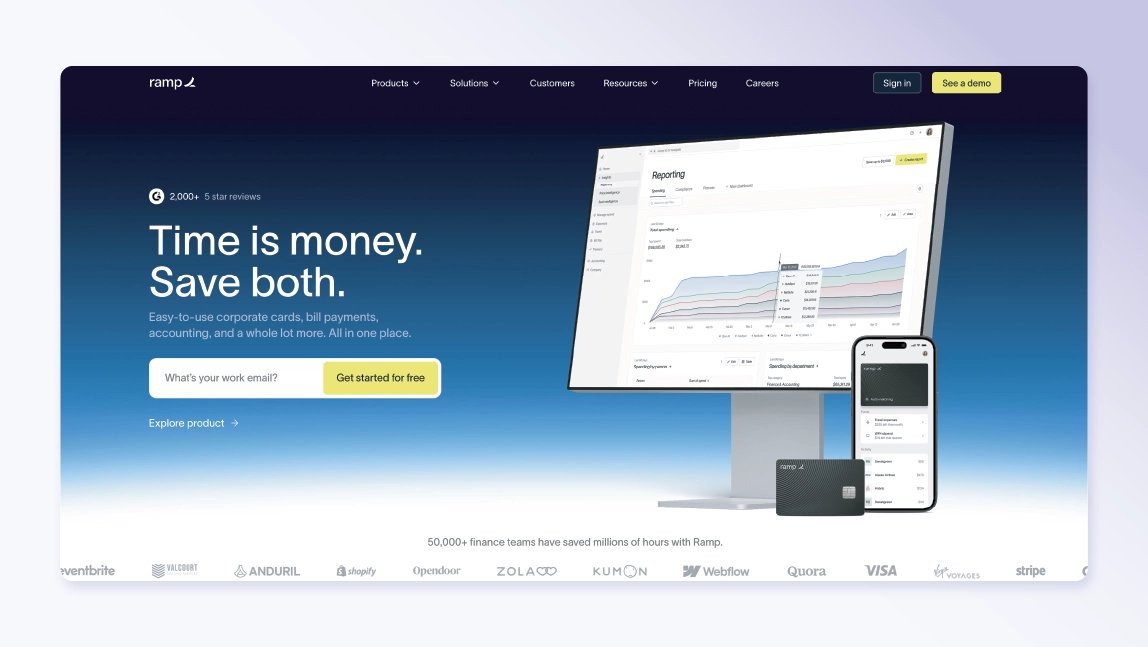
Ramp is a spend and financial operations platform built to help organizations control expenses, manage cards, and monitor spending in real time. While it’s not designed specifically for law firms, it is used by some practices looking to improve visibility into spending and simplify expense workflows.
Strengths:
Provides real-time expense tracking and spend visibility through virtual cards, automation, and detailed transaction data.
Integrates with accounting systems such as QuickBooks and Xero to automatically sync expense data.
Offers a user-friendly interface, fast reconciliation, and built-in travel support, making it efficient for managing corporate spend.
Weaknesses:
Does not support legal trust accounting or native legal billing, requiring additional systems to meet law firm requirements.
Expenses cannot automatically be categorized into hard and soft costs and linked to a specific case at the time of purchase.
Requires separate systems to achieve full firm-level financial reporting and oversight.
3. Mercury
Mercury is a business banking and fintech platform that primarily focuses on digital services for startups and small businesses. It is not built for law firms, but some practices use it for basic banking, cash management, and card controls.
Strengths:
Offers fee-free business banking with no monthly fees, overdraft charges, or minimum balance requirements.
Supports integrations and automation through API access and connections with tools like QuickBooks and Xero, helping streamline bookkeeping workflows.
Includes real-time transaction tracking and virtual card controls that make it easier to monitor cash flow and manage team spending.
Weaknesses:
Lacks legal-specific accounting capabilities, including trust accounting and case-level financial tracking.
Provides fewer expense management features compared to other platforms that offer automated spend management tools.
Does not support cash deposits and certain traditional banking features, which can be restrictive for firms with varied payment methods.
4. Rho
Rho is a fintech platform with tools for business banking, payments, and spend controls. It’s designed for general business use rather than legal workflows, making it more suitable for internal spend and payables than legal-specific financial management.
Strengths:
Includes built-in expense management with real-time spend tracking, receipt capture, and policy controls that help categorize and monitor firm spending.
Automates accounts payable and integrates banking and payments to streamline invoice approvals, execution, and reporting.
Provides a consolidated financial operations dashboard covering banking, cards, spend controls, and analytics for centralized visibility.
Weaknesses:
Does not support legal-specific requirements such as trust accounting or case-based billing.
Reporting and accounts payable features may require additional setup and integrations to support firm-level financial analysis.
Focuses on general business finance workflows, meaning law firms still need separate systems for legal billing and compliance.

5. QuickBooks
QuickBooks is a widely used general ledger accounting system that many law firms rely on for bookkeeping and financial reporting. While it is not legal-specific, it is commonly paired with practice management solutions, including an integration with MyCase, to connect accounting data with legal workflows.
Strengths:
Offers detailed expense tracking and transaction categorization to support firm-wide financial oversight.
Provides robust standard financial reports, including profit and loss statements, balance sheets, and cash flow reports.
Connects with a large ecosystem of apps and tools, making it easier to sync billing, payments, and spend data.
Weaknesses:
Does not natively support legal accounting needs such as trust accounting or LEDES billing without add-ons or integrations.
Can be challenging to use effectively without accounting experience, particularly for expense management and reporting.
Costs and complexity tend to increase as firms add users, features, or supporting tools.

6. Xero
Xero is a general ledger accounting system used by many small businesses for day-to-day bookkeeping and invoicing. Some law firms use it alongside practice management or billing solutions to handle core accounting tasks.
Strengths:
Automates bank reconciliation and expense tracking to help practices monitor spending with less manual effort.
Supports invoicing and standard financial reports that provide a baseline view of firm finances.
Connects with a broad ecosystem of third-party tools, including legal billing and practice management systems.
Weaknesses:
Does not support legal accounting requirements such as trust accounts or law-specific workflows.
Offers less flexibility in report customization than larger or more advanced accounting systems.
Provides only basic expense tracking compared with dedicated spend management platforms.
7. Clio
Clio is a legal practice management system that combines case management, billing, and time tracking. Its financial capabilities are designed to support legal workflows, with additional accounting functionality available through add-ons.
Strengths:
Integrates billing and time tracking into case workflows, helping lawyers capture billable work and tie it to clients and matters.
Offers customizable dashboards and reports that surface revenue, receivables, and other financial metrics.
Supports trust accounting and general accounting through an add-on, allowing firms to manage more financial activity within a legal-focused system.
Weaknesses:
The accounting add-on lacks key features like automated smart deposits or support for accrual-based accounting, which can make it costly without fully meeting firm accounting needs.
Expense management and advanced financial analytics are limited compared with dedicated spend tools or full accounting suites.

8. CosmoLex
CosmoLex is a legal practice management system with built-in legal accounting designed to reduce reliance on external ledgers. Its approach centers on keeping accounting, billing, and trust activity inside a single legal-focused system.
Strengths:
Includes built-in legal and trust accounting features, removing the need for a separate general ledger tool.
Ties expense tracking directly to matters and billing workflows.
Some users report positive experiences with the accounting features when used as their primary financial tool.
Weaknesses:
Reporting and analytics lack depth compared with larger or more advanced practice management systems.
Offers limited flexibility for customizing workflows or financial reports.
Billing workflows can be cumbersome, as unpaid bills from prior months are not easily visible alongside current invoices.
9. Practice Panther
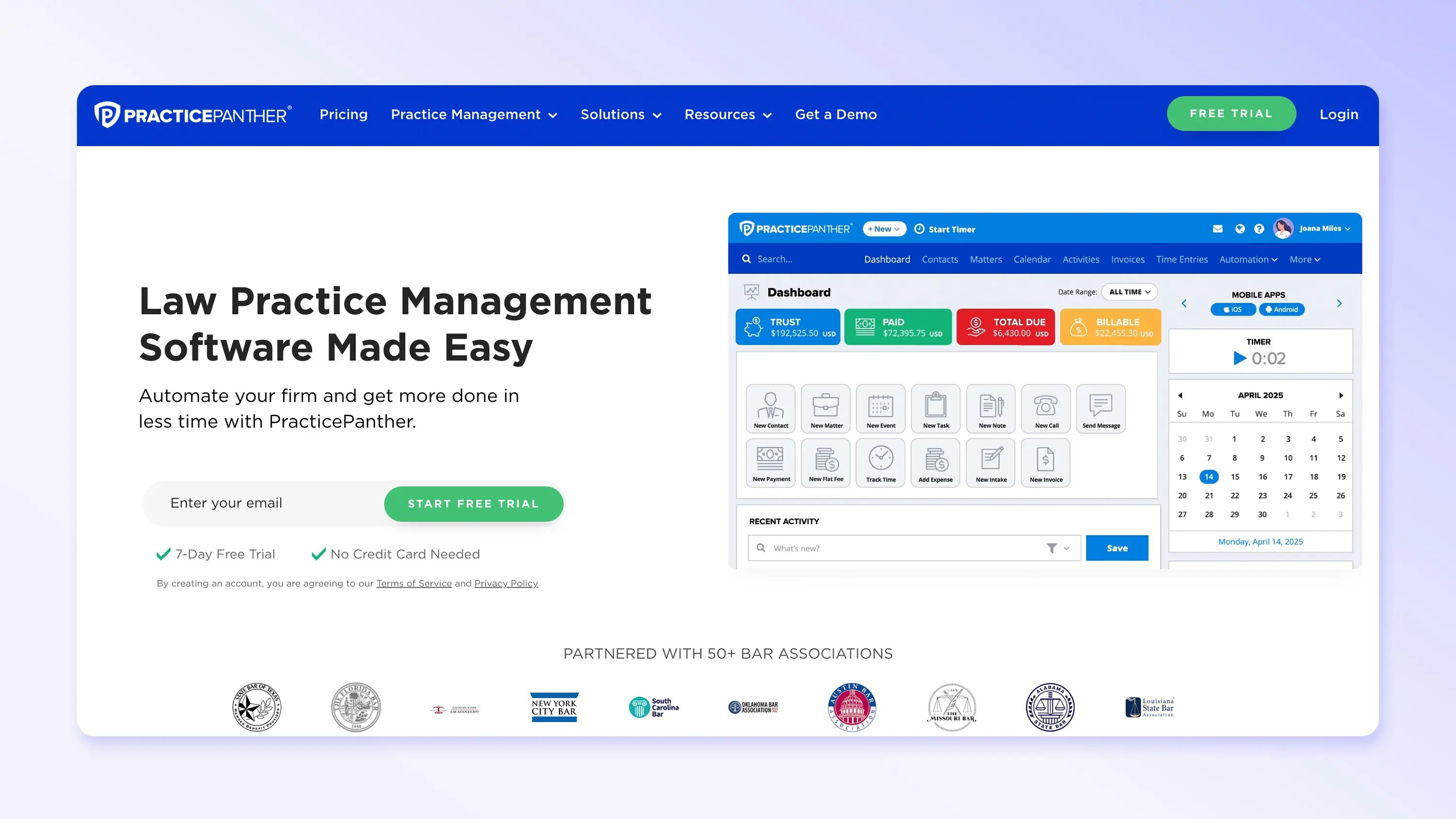
PracticePanther is a legal practice management system aimed primarily at small firms seeking straightforward case management and billing. Its financial tools focus on basic invoicing and expense tracking rather than advanced financial oversight.
Strengths:
Includes native billing and invoicing features that link client charges directly to cases.
Matter and task tracking features enable basic expense categorization.
Offers a simple interface and quick setup, making it accessible for smaller practices.
Weaknesses:
Lacks advanced financial reporting and profitability analysis needed by larger or more complex firms.
Expense tracking is relatively limited compared with dedicated spend management solutions.
Time entry workflows require manual confirmation when switching between cases, which can result in lost entries if not completed.
Features law firms should prioritize in financial management software
Choosing financial management software can feel overwhelming, especially when tools overlap in features and promise similar benefits. This checklist focuses on the capabilities that have the greatest day-to-day impact on how law firms manage money, maintain oversight, and make informed decisions as they grow.
Spend management and firm-wide expense oversight
Effective spend management gives attorneys visibility into where money is going, with controls that help guide purchasing, approvals, and vendor use. When expenses are tracked consistently and tied back to firm policies, it becomes easier to reduce unnecessary spend and spot issues before they affect cash flow.
Outcome: Firms can identify issues with spending and reimbursements without having to switch between multiple systems.
Financial dashboards and reporting
Real-time financial dashboards surface key metrics on revenue, expenses, billing, collections, trust balances, and accounts receivable without relying on manual exports. Consistent reporting helps legal professionals understand performance trends and address issues using current, reliable data.
Outcome: Firms can prioritize work and resources more effectively based on actual performance metrics.
Case-level profitability tracking
Tracking financial performance by matter helps lawyers see how revenue, expenses, and effort compare across different cases. That visibility makes it easier to understand which types of work contribute to healthy margins and which tend to strain them.
Outcome: Firms can refine case selection, pricing strategies, and staffing decisions based on which matters deliver the strongest returns.
Automated billing and time capture
Automated billing and time tracking tools reduce the risk of missed billable hours while speeding up invoice creation and delivery. When time, expenses, and case data stay connected, firms gain a more complete view of how work translates into revenue.
Outcome: Firms accelerate billing cycles and improve cash flow by sending accurate invoices sooner, with fewer follow-ups or corrections.
Flexible invoicing and LEDES support
Attorneys who work with insurers or clients with complex needs often have to support multiple billing structures, split invoices, and standardized LEDES codes. Flexible invoicing tools reduce friction in the billing process and help ensure invoices meet client and insurer requirements the first time.
Outcome: Firms experience fewer rejected or delayed invoices, leading to faster payment and more predictable revenue.
Trust accounting compliance
Trust accounting features are critical for safeguarding client funds and meeting regulatory requirements across jurisdictions. Built-in compliance tools reduce reliance on manual reviews and make it easier to maintain accurate trust records.
Outcome: Firms reduce compliance risk and are better prepared for audits and inquiries without scrambling to reconstruct records.
Embedded into practice management workflows
When financial tools are built directly into practice management systems, it’s easier to keep billing and expenses aligned with the correct matters and clients. This eliminates the need for manual syncing and reduces the chance of data gaps or inconsistencies.
Outcome: Lawyers gain clearer visibility into their firms’ financial health and more confidence in the accuracy of their data, allowing them to spend more time focused on legal work.
Considerations when evaluating financial management software for your law firm
When you’re looking for the top legal software for financial management, it helps to think about how your practice actually operates day to day. Look for a platform that accommodates your existing workflows, supports compliance, and keeps pace with your practice’s growth over time.
Rather than simply gravitating toward software that claims to offer the most tools, prioritize solutions that are most likely to deliver the best outcomes according to your firm’s needs.
Key factors to consider include:
Compliance requirements for client and trust accounts: The software should support jurisdiction-specific rules and reduce the risk of errors tied to client funds.
Need for real-time financial visibility: Up-to-date insight helps firms monitor performance without waiting for end-of-month reports.
Importance of tying finances directly to cases: Connecting costs, billing, and revenue to matters provides context that firm-level totals alone cannot.
Level of reporting detail: Reporting should match how the firm reviews performance and plans finances, from high-level summaries to matter-specific analysis.
Ease of use for attorneys and staff: Intuitive tools are more likely to be adopted consistently across the firm.
Access controls and oversight needs: Permission settings should support appropriate review and accountability without slowing work.
Software that checks all of these boxes can put your firm in a good position to spot issues earlier, minimize manual corrections, and respond strategically to changes in workload or cash flow. It also sets the stage for scalable growth as your caseloads increase and business demands become more complex.
Bring clarity and control to your law firm’s finances with MyCase
Leading legal financial management software combines reporting, billing, accounting, and spend management in a single system. When those functions stay connected to cases and clients, firms can monitor performance as work progresses, avoid last-minute surprises, and maintain steadier control over cash flow as workloads change.
MyCase brings these capabilities together in a complete practice management solution with integrated financial management tools built specifically for law firms, including:
Financial reporting: Access real-time dashboards and reports across revenue, expenses, billing activity, trust balances, and accounts receivable aging.
Spend management: Track and oversee expenses within the same system, without relying on separate spend or reimbursement tools.
Accounting: Use legal-specific workflows that keep cases, billing, and trust activity aligned and compliant.
Billing and payments: Streamline invoicing, accept online payments, and automate billing with built-in time tracking.
To see how MyCase supports clearer oversight and more efficient financial operations, schedule a MyCase demo and explore how these tools can support your firm’s next stage of growth.
FAQs about law firm financial management software
About the author

Rob Heidrick is a Senior Content Strategist for 8am, a leading professional business solution. He covers the latest advancements in legal technology, financial wellness for law firms, and key industry trends.